
Sending a PDF instead of a Word file has three advantages: the recipient sees the same layout on any device, nobody edits the content by accident, and most application portals only accept PDF. The conversion almost always goes smoothly, except in one place: fonts.
Word to PDF
Drop a document here
DOC, DOCX, ODT, RTF, TXT · up to 100 MB per file
Files are deleted after 2 hours. You can delete them right after downloading.
Why the PDF can differ from the Word file
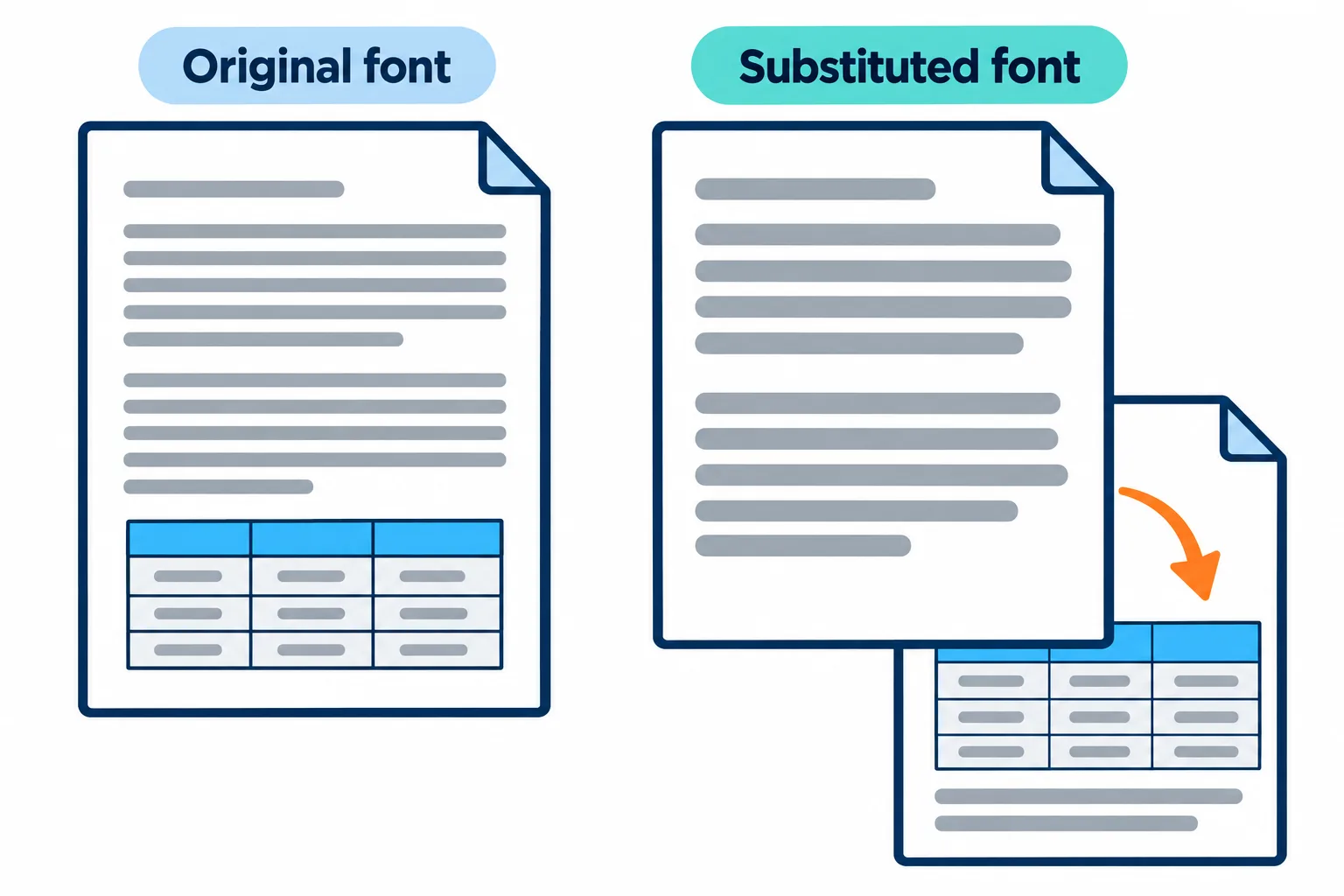
A slightly wider replacement font is enough to push a whole table onto a new page.
Word draws your document with the fonts installed on your computer. The conversion server only has the common fonts, so an unusual font is swapped for a similar one. The replacement has slightly different letter widths, lines break in different places, and the difference keeps rolling forward: a paragraph gains a line, a table slides onto the next page, the last page holds a single stray line.
| What you see in the PDF | Usual cause |
|---|---|
| Accented letters turn into odd characters | Legacy fonts such as the Vietnamese .VnTime or VNI-Times, which are not Unicode |
| One page more or fewer than in Word | A substituted font moved the line breaks |
| A page that is almost empty | Enter pressed many times to push content onto a new page |
| An image in a different spot | The image floats over the text instead of sitting in line with it |
Three things to check before you convert
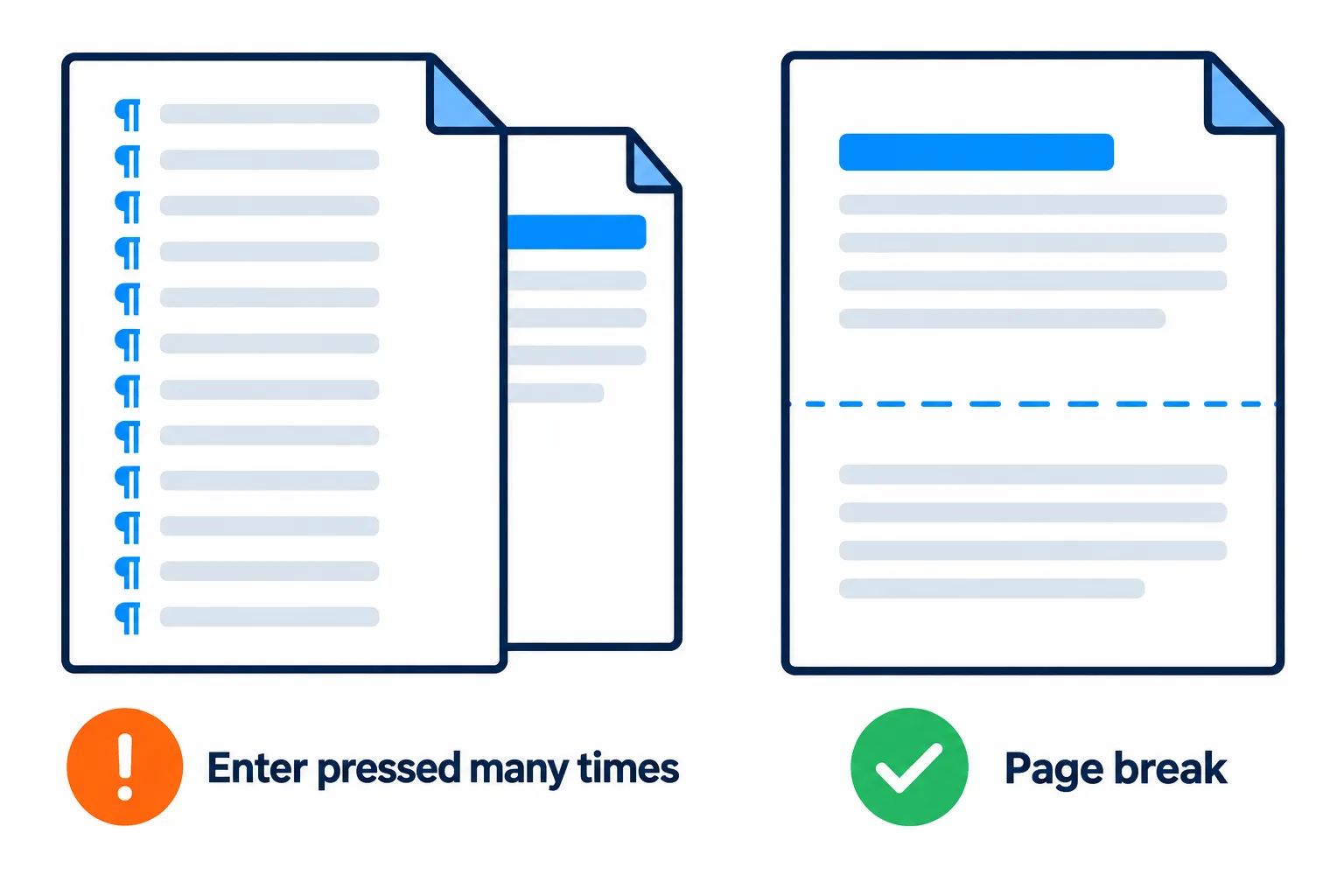
A page break stays put; blank lines drift whenever the text shifts.
Steps
**Fonts.** Use common fonts such as Times New Roman or Arial. If the document relies on a font you installed yourself, expect it to be replaced.
**Page breaks.** To start a new page, press Ctrl+Enter for a page break instead of pressing Enter repeatedly. Empty lines drift whenever the text shifts a little; a page break stays where you put it.
**Images and tables.** Set images to In Line with Text so they move with their paragraph. Give tables fixed column widths rather than letting them autofit to their contents.
Want to predict the PDF? In Word, press Ctrl+Shift+8 to show formatting marks. A run of lines holding nothing but ¶ is blank space used to push content down, and it should be a page break.
Google Docs, ODT, RTF and TXT
The tool also takes DOC, DOCX, ODT, RTF and TXT. Google Docs picked from Google Drive are exported to DOCX automatically before conversion, so there is nothing to download first. A TXT file becomes a PDF of plain text with no formatting.
Once you have the PDF
Open it and scroll through every page, paying attention to page breaks and tables. If it needs to go out right away, press Continue to:
- compress the PDF when images make it too heavy to send;
- add a password when the document holds private details;
- add page numbers, or merge it with other files into one packet.
Frequently asked questions
The PDF has one page more than the Word file. How do I fix it?
A substituted font usually moved the line breaks. Switch to a common font, replace blank lines with page breaks, and convert again.
I need to change the text after converting.
Edit the original Word file and convert again; that keeps the layout best. If all you have is the PDF, see [how to convert PDF to Word](/blog/pdf-to-word-guide).
Do file names with accents survive?
Yes. A file called Đơn xin việc.docx comes back as Đơn xin việc.pdf.
Are my files kept on the server?
They are deleted after 2 hours, and you can delete them yourself as soon as you have the result.
Try it on your own file
Free, no sign-up. Files are deleted after 2 hours.