Photo to Drawing
Line art in seconds, or a sketch, watercolour or anime picture with AI in 2–5 minutes.
Drop an image here
JPG, JPEG, PNG, WEBP · up to 100 MB per file
Files are deleted after 2 hours. You can delete them right after downloading.
How to use Photo to Drawing in 3 steps
-
Choose a photo
Drop a JPG, PNG or WebP photo on the page, pick it from Google Drive or paste a link. Portraits, pets and landscapes all work.
-
Pick a style
Choose Line drawing for an instant result, or an AI style such as pencil sketch, watercolour or anime. For AI styles choose Fast (about 2 minutes) or Best (about 5 minutes).
-
Compare and download
Press Turn into a drawing. Drag the before and after slider, download the image, or press “Try another style” to redraw the same photo.
Guides
A short read first gets you the right result on the first try.
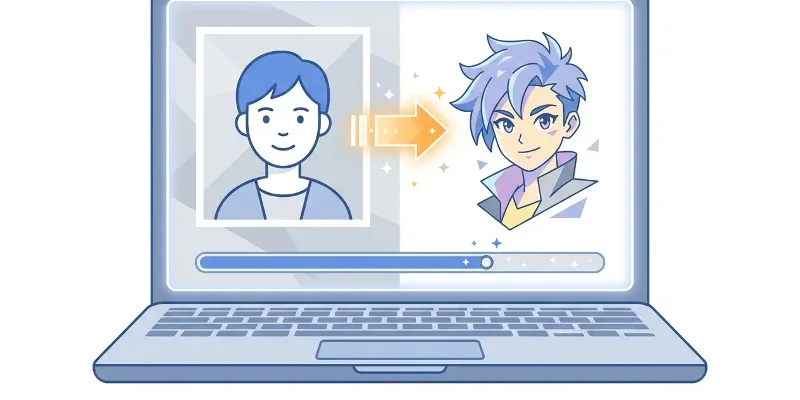 Photo to Drawing
 Photo to anime: how to turn a picture into anime art
Upload a clear photo, choose an anime style, and let AI create a new anime-style image from your picture.
 AI Art Generator
 AI Art Generator Free: Create Art from a Prompt
Describe the image you want, generate it in seconds, then refine your prompt until the artwork fits your idea.
 Greeting Card Maker
 Diwali wishes: messages and greeting card ideas
Use these Diwali wishes as they are, or personalize them in a simple greeting card you can download as a PNG.
Features
Photo to Drawing works in two ways. Line drawing traces your photo into line art in about 3 seconds, free, with an option to keep faded colours under the lines. AI styles repaint the whole picture as a pencil sketch, watercolour, anime, cartoon, oil painting, comic book, 3D render or pixel art; each image takes 2–5 minutes and needs you to sign in.
- Line drawing in about 3 seconds, free, with an option to keep faded colours under the lines.
- 9 AI styles: pencil sketch, line art, watercolour, anime, cartoon, oil painting, comic book, 3D render and pixel art.
- Two AI quality levels: Fast takes about 2 minutes, Best about 5.
- Signed in, you can leave the page while AI draws and open the result later from your account history.
- Before and after slider on the result card; AI pictures carry a “Made by AI” label.
- Takes JPG, PNG and WebP; images are deleted from the server after 2 hours.
Frequently asked questions
What is the difference between Line drawing and AI styles?
Line drawing traces the outlines of your photo into black-and-white line art in about 3 seconds. AI styles repaint the whole picture in the style you pick, which looks richer and further from the photo, but takes 2–5 minutes per image.
Why do AI styles need signing in?
Each AI-style picture keeps an AI server busy for minutes, so the daily number is counted per account. Signing in is free; Line drawing works without an account.
Do I have to keep the page open while AI draws?
When you are signed in you can close the page and open the result later from Account › History, if your plan keeps a history. Without an account, keep the tab open until the drawing is done.
Which image formats are accepted?
JPG, PNG and WebP. Export HEIC photos from an iPhone as JPG first, or set Settings › Camera › Formats to “Most Compatible” so it takes JPG photos.