
A PDF has no idea what a cell or a column is. It only says "draw this number at x, y", plus a few lines if the table has borders. To convert it to Excel, the tool looks at how the text lines up and where the ruling lines are, and infers where each cell begins and ends. The clearer the table, the better the guess.
PDF to Excel
Drop a PDF here
PDF · up to 100 MB per file
Files are deleted after 2 hours. You can delete them right after downloading.
Which tables convert cleanly
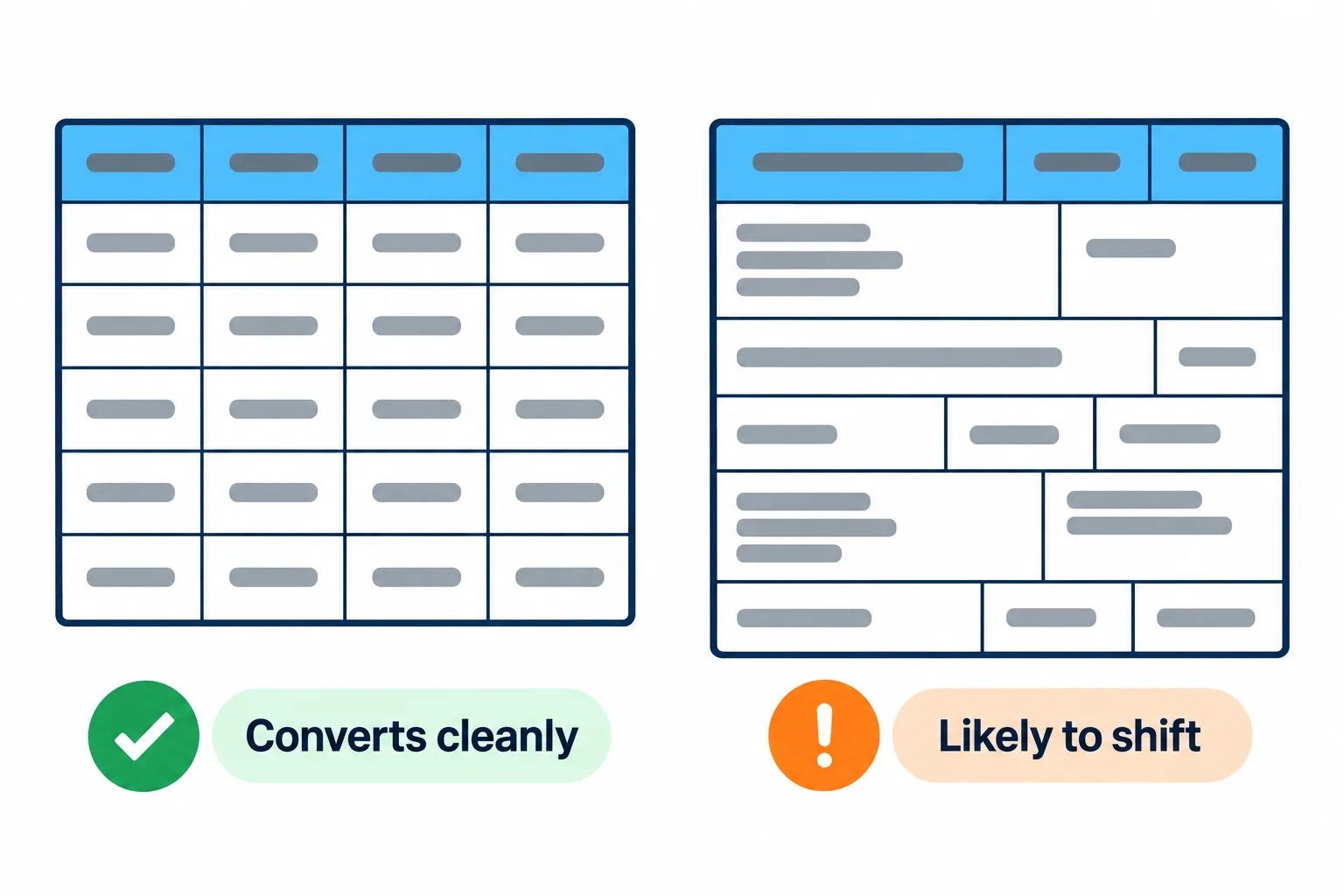
Bordered, aligned tables convert almost perfectly; merged and wrapped cells tend to shift.
| Kind of table | Typical result |
|---|---|
| Exported from accounting or banking software, or from Excel itself, with borders | Near perfect |
| No borders, but the columns line up | Good; check a few columns |
| Merged cells, multi-level headers, text wrapping inside cells | Rows may split in two or columns may shift |
| Scans and photos | Usually fails, because the table is only a picture |
A five-second test: open the PDF and try selecting a number in the table. If you can, the table is text and will convert well.
For a scan you can run OCR PDF first so the page gets a text layer, then try again, but expect to fix quite a few cells by hand. For a short table, retyping is sometimes faster.
Tidy the sheet after converting
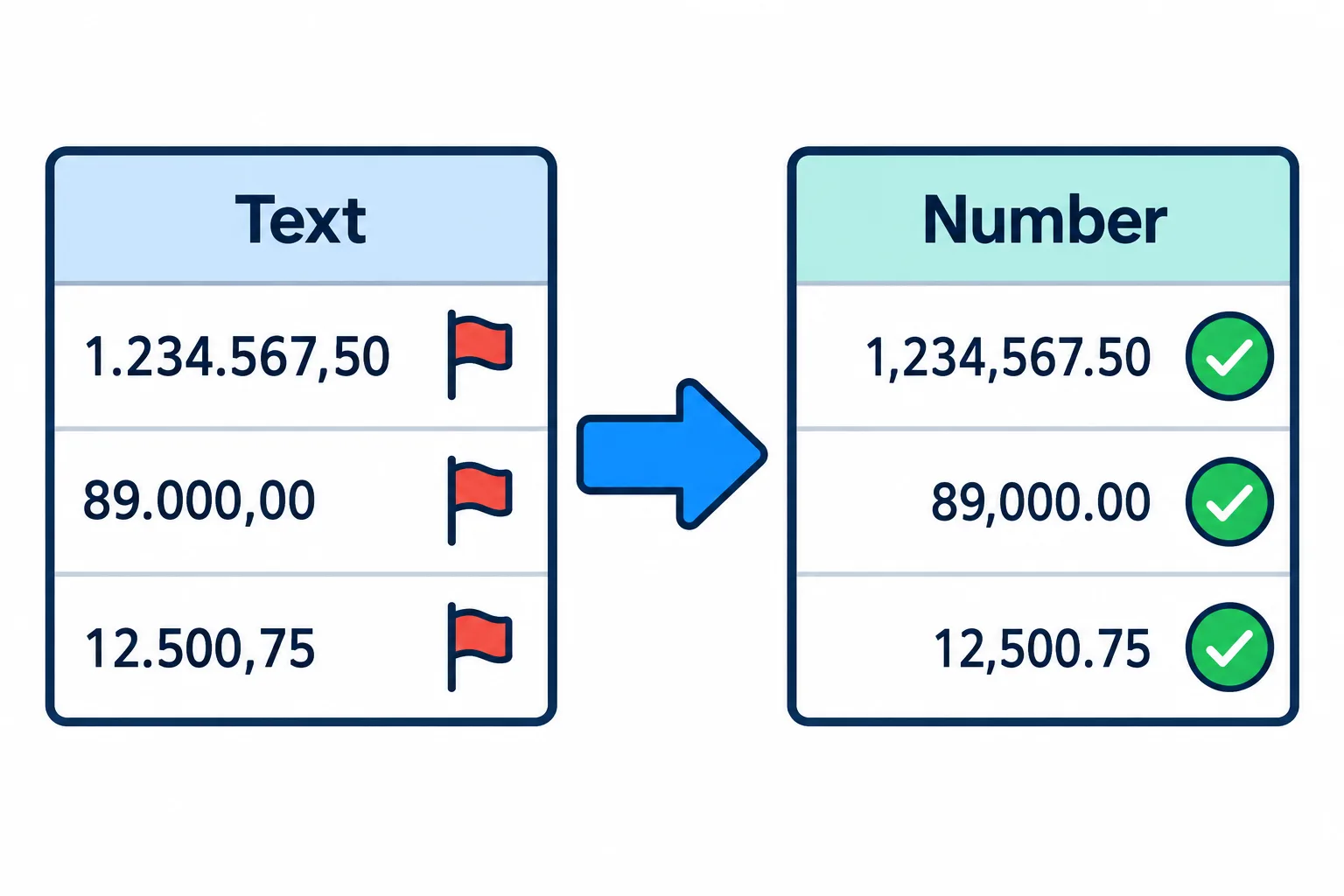
Numbers stored as text sit on the left; once fixed, they align right and add up.
Steps
**Numbers stored as text.** Many countries write numbers as `1.234.567,50`, with dots for thousands and a comma for decimals. If your Excel expects `1,234,567.50`, those cells become text
left-aligned and skipped by SUM. Select the column, use Data › Text to Columns, and in the last step click Advanced to set the decimal and thousands separators.
**Headers repeated on every page.** A table that runs across pages usually brings its header row along each time. Turn on a filter, filter by the header text and delete the extra rows.
**One row split into two.** Cells with wrapped text, like the description column of a bank statement, often land on two rows. Join them before you sort or filter.
**Day and month swapped.** 03/04/2026 may be read as 4 March instead of 3 April. Look at a few dates with a day above 12 and you will spot it at once.
Always check the total: put a SUM under the amount column in Excel and compare it with the total printed in the PDF. If they differ by a cent, a cell was split wrongly.
Password-protected bank statements
Many banks send statements as password-protected PDFs, and a locked file usually cannot be processed further. Unlock it first with Unlock PDF using the password the bank gave you, then press Continue to convert it to Excel.
If your PDF is mostly paragraphs rather than tables, converting to Word suits it better. Not sure which format you need? See the guide to picking a PDF target format.
Frequently asked questions
Are the formulas from the original table kept?
No. A PDF only holds the printed values, not the formulas. The spreadsheet contains values, so add formulas yourself if you want to keep calculating.
Can I open the result in Google Sheets?
Yes. The .xlsx file opens in Excel, Google Sheets and LibreOffice Calc, and you can save it straight to Google Drive.
Why are some columns shifted to the right?
Usually merged cells or a table without borders led to a wrong guess about where a column ends. Check the columns before you add formulas.
Is it safe to upload payroll or bank statements?
Files travel over HTTPS and are deleted after 2 hours. You can also delete them yourself as soon as you have the spreadsheet.
Try it on your own file
Free, no sign-up. Files are deleted after 2 hours.