Transcribing a one-hour meeting by hand can take three or four hours. The machine listens and writes it down in about as long as the recording lasts, and you only fix the lines it got wrong. How many lines that is gets decided before you press the button: by the recording, the language and the names you tell it about.
Speech to Text
Drop an audio file here
MP3, M4A, WAV, FLAC, OGG, AAC… · up to 100 MB per file
Files are deleted after 2 hours. You can delete them right after downloading.
Pick the output for the job
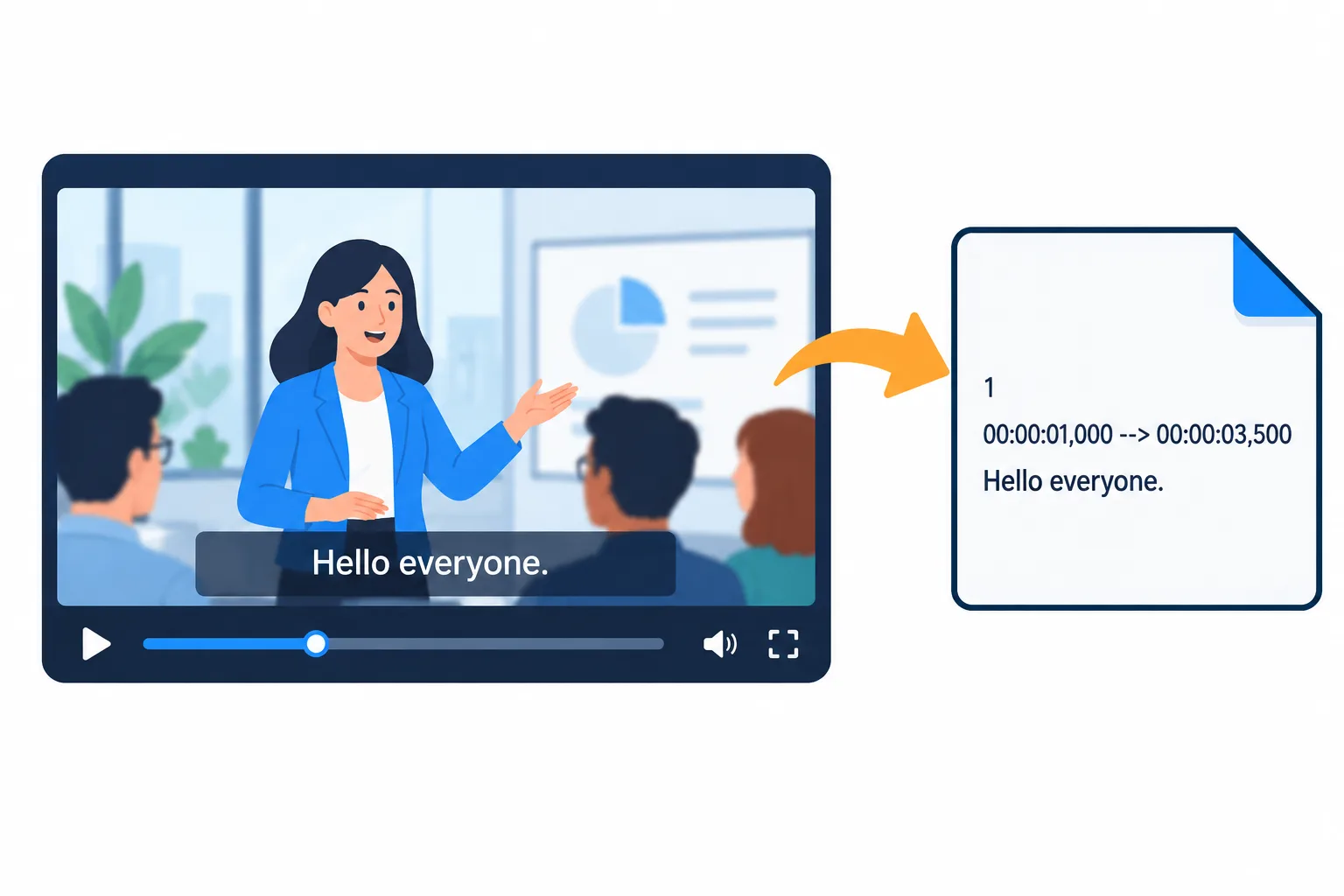
An SRT file stores a start and end time for every subtitle line.
| Output | What it looks like | Use it for |
|---|---|---|
| SRT subtitles | Each line with a start and end time | YouTube, CapCut, Premiere |
| VTT subtitles | Like SRT, in the format web players use | Videos embedded on a website |
| Plain text | Flowing paragraphs, optionally with a [mm:ss] mark before each one | Meeting minutes, lecture notes, articles |
If you need both subtitles and minutes, choose plain text with [mm:ss] marks: it reads smoothly and still lets you find the original audio when you need to check a passage.
Record so the speech is clear
- Keep the microphone close to the speaker, somewhere between a hand span and an arm's length. A phone in the middle of a big meeting table picks up distant voices very faintly.
- Avoid background music, and fans or air conditioning blowing straight at the microphone. The tool skips silence and noise, but speech buried under music is hard to separate.
- One person at a time. Two people talking over each other usually become one muddled line.
- Use the original recording if you can, such as an M4A or WAV file from a recorder, rather than a clip that has been recompressed by several chat apps.
List names and terms before you run it
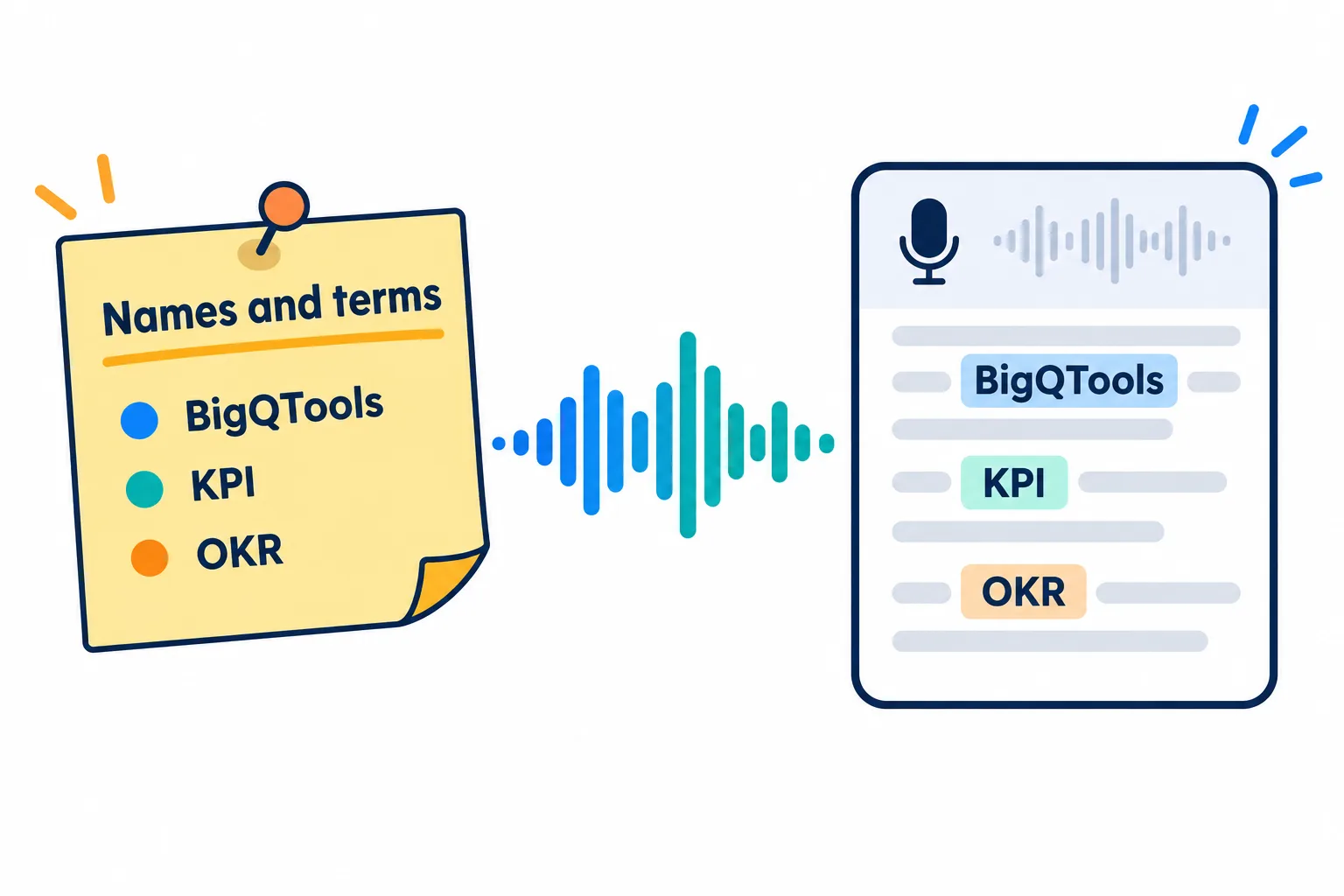
List the words likely to go wrong and the transcript needs far less fixing.
The machine hears common words very well, but it easily misspells names of people, products and abbreviations. Type them into Names and terms exactly the way you want them to appear, for example Nguyen Thi Hang, BigQTools, KPI, OKR, Q3 2026.
You only need the words likely to go wrong, not a whole glossary. A few well-chosen entries save a lot of fixing later.
The language is detected from the first 30 seconds. If the file opens with music or noise, pick the language yourself instead of leaving Detect automatically on.
Fix it, then take it further
The result opens right on the page. Click a line to edit it, click a time to hear that part again, and the file you download includes your edits. From there you can translate it with Translate Text or have an AI voice read it with Text to Speech.
Frequently asked questions
My video is larger than 100 MB. What now?
Extract the audio first with [Video to MP3](/blog/video-to-mp3-guide). MP3 at 128 kbps is only about 1 MB per minute, so a one-hour meeting stays under 100 MB.
How do I add the SRT file to YouTube?
In YouTube Studio, open the video's Subtitles section, add the language, choose to upload a file and pick the option with timing.
How long can the recording be?
The minutes transcribed per file depend on your plan. A longer file is still accepted; it is transcribed from the start up to your plan's limit, and the page tells you where it stopped. Signing in for free gives you more minutes.
Are my recordings stored?
Your file and the result are deleted after 2 hours and never used to train AI.
Try it on your own file
Free, no sign-up. Files are deleted after 2 hours.