A 12-megapixel phone photo has 4000 × 3000 pixels and usually weighs 3–5 MB. On a phone screen or in an article nobody sees it at that size, so most of those megabytes hold detail no one looks at.
An image's size depends on two things: how many pixels it has and how compactly each pixel is stored. Compression deals with the second.
Compress image
Drop images here
JPG, JPEG, PNG, WEBP, GIF, BMP… · up to 100 MB per file · up to 20 files
Files are deleted after 2 hours. You can delete them right after downloading.
The three quality levels
| Level | After compression | Good for |
|---|---|---|
| High | Almost identical to the original, smallest saving | Photos to print or to zoom into |
| Balanced (default) | No visible difference at normal viewing size | Websites, email, chat apps |
| Smallest | A little soft when zoomed in | Upload forms with very tight limits |
Balanced is the right call most of the time. Drop to Smallest only when the file is still over the limit.
Pick the format for the kind of image
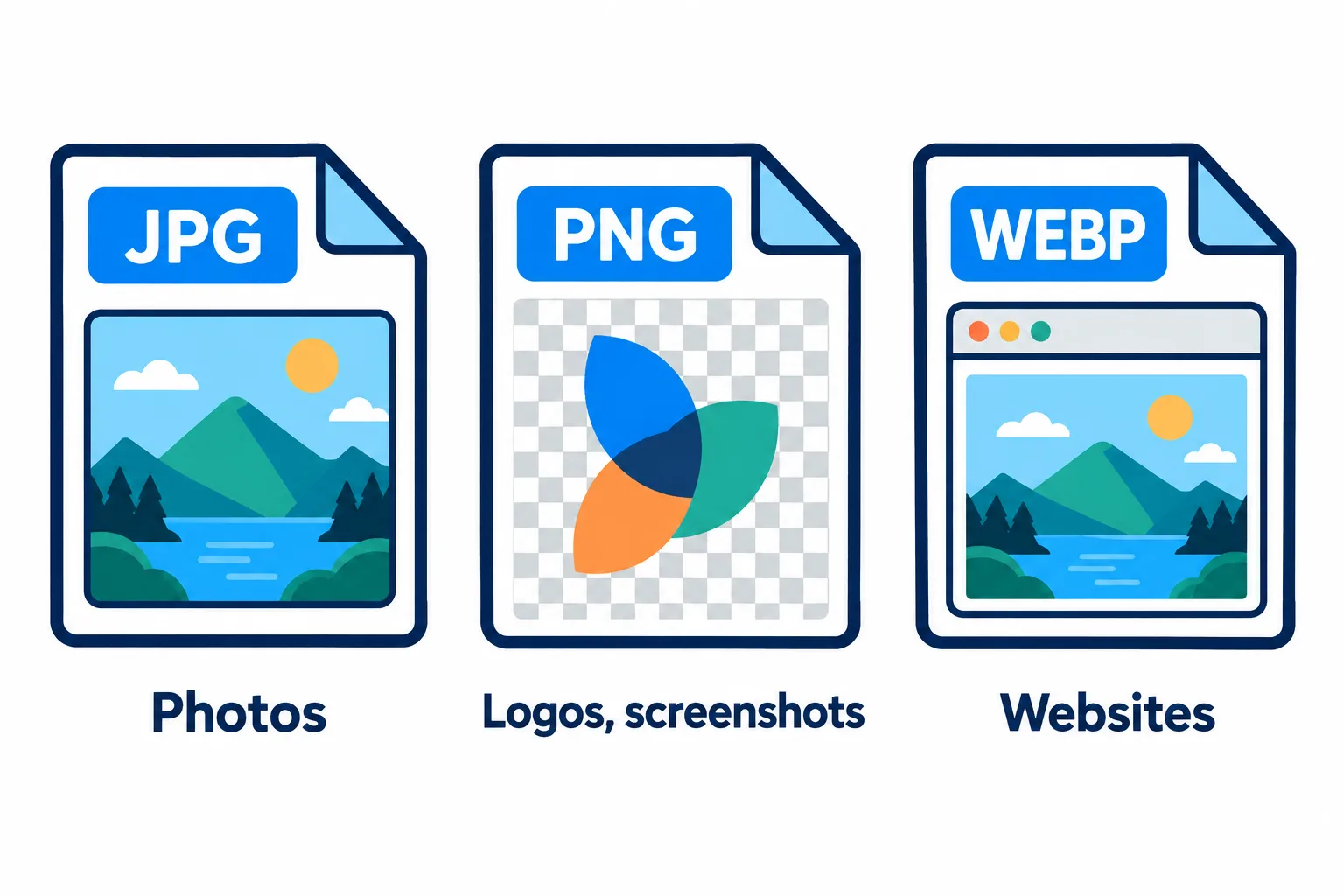
Each format is best at one kind of image.
| Format | Best for | Watch out |
|---|---|---|
| JPG | Photos: landscapes, portraits, products | No transparency; small text gets fuzzy edges |
| PNG | Screenshots, logos, anything with text | Much heavier than JPG for photos |
| WebP | Websites: smaller than JPG at the same quality | A few older apps cannot open it |
Screenshots are where people go wrong. Turning a screenshot into a JPG often leaves faint speckles around the text, because JPG is built for photos with smooth gradients, not for crisp letter edges. Keep it as PNG or use WebP.
When compression is not enough, resize
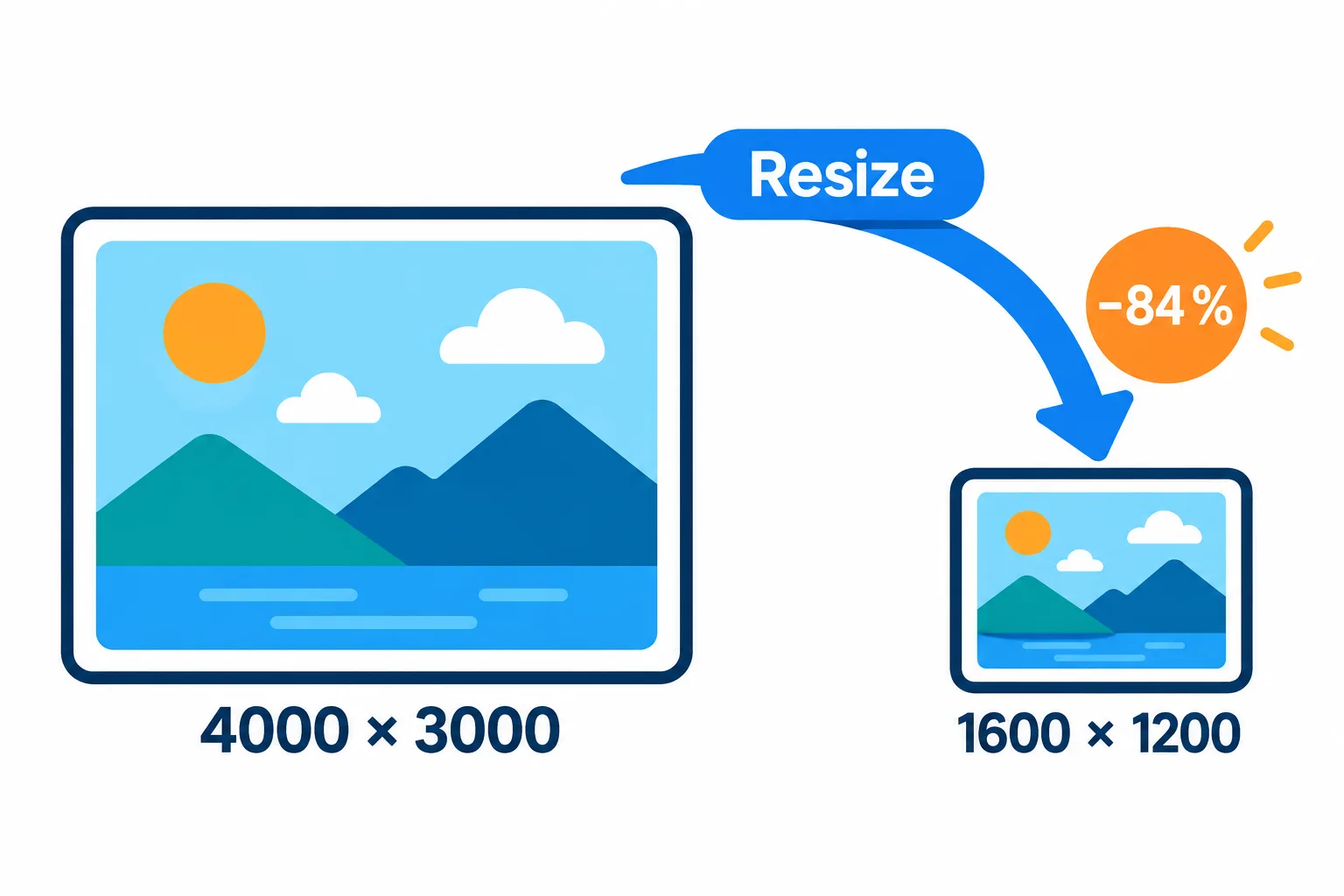
84 % fewer pixels, and it still looks sharp on screen.
If an image is only going to be seen on a screen, reducing its dimensions saves far more than any quality level. A 4000 × 3000 photo resized to 1600 × 1200 keeps just 16 % of its pixels, so 84 % of the data is gone, and it still looks sharp on screen.
Steps
Open Resize image and enter a width
about 1600 px for images in an article, 1080–1280 px for photos sent by chat or email.
Press Continue to send the result to Compress image.
Compress at Balanced and compare the before and after size of each image.
Printing? Work back from the print size: a 10 × 15 cm (4 × 6 in) print at 300 DPI needs about 1200 × 1800 pixels. With fewer, the print looks soft.
Compression also removes the location
Phone photos usually carry EXIF data: the camera model, the time and even the GPS coordinates of where they were taken. Compress image strips this from the results, so you can share a photo without giving away your home address.
If your images sit inside a PDF, compress the PDF instead.
Frequently asked questions
Is it bad to compress the same image several times?
Yes. Every time a JPG is saved again it loses a little more detail. Always compress from the original, once, at the right level.
Why did my logo's transparent background turn white?
JPG does not support transparency. Keep the PNG format or choose WebP if the image needs a transparent background.
How many images can I compress at once?
Up to 20 per run. With two or more, you can also download them all as one ZIP.
Are my images kept on the server?
They are deleted after 2 hours, and you can delete them yourself as soon as you have the result.
Try it on your own file
Free, no sign-up. Files are deleted after 2 hours.