A background remover does two jobs: it finds the main subject in the photo, then decides for every pixel whether it belongs to the subject or to the background. The first job is almost always right. The second is what makes edges look clean or messy, and it depends heavily on the photo you give it.
Remove Background
Drop images here
JPG, JPEG, PNG, WEBP, BMP, AVIF · up to 100 MB per file · up to 10 files
Files are deleted after 2 hours. You can delete them right after downloading.
Photos that give clean edges
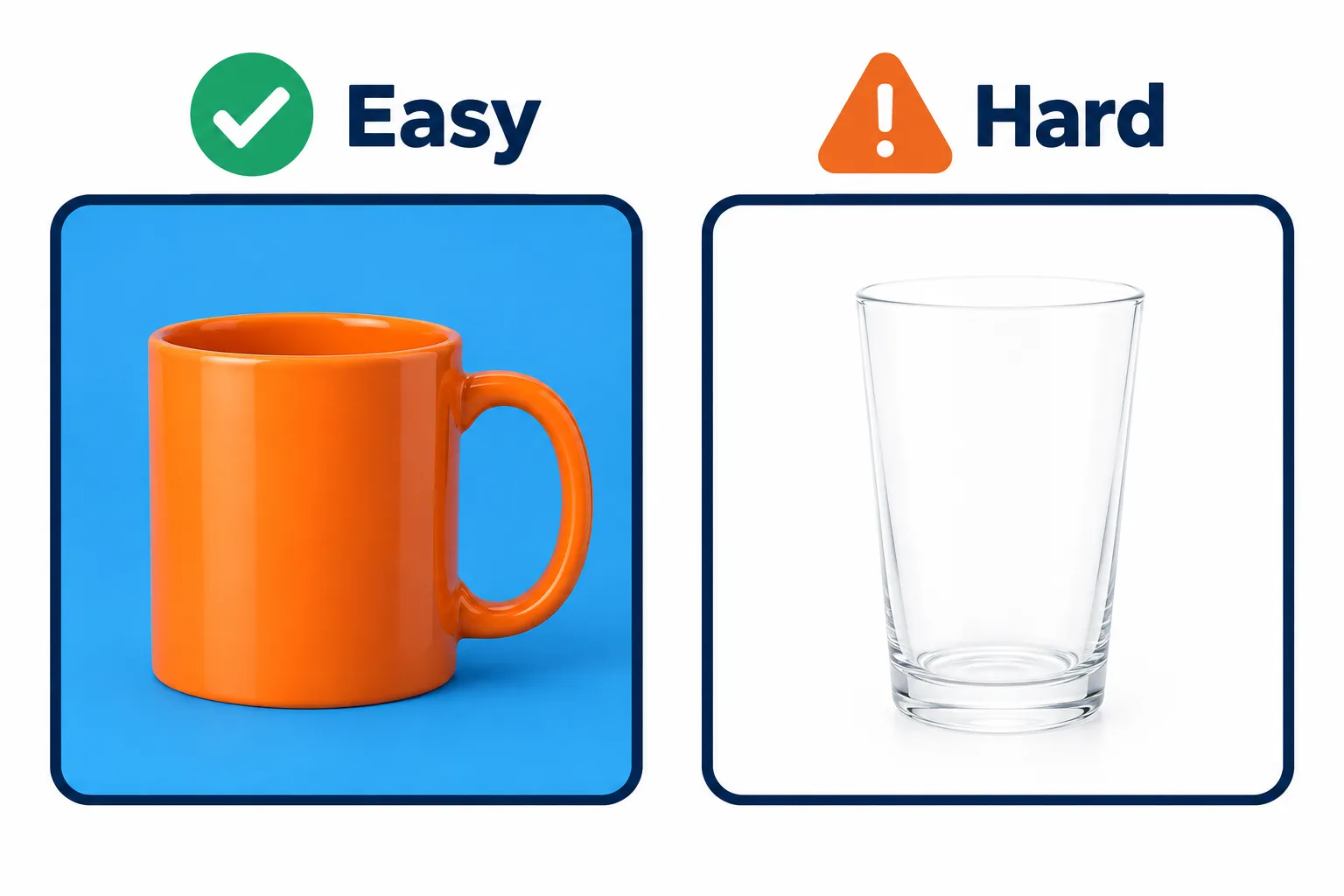
A subject that stands out from its background gives the cleanest edges.
| Easy to cut out | Hard to cut out |
|---|---|
| Subject clearly different in colour from the background | A white shirt against a white wall, a black product on a dark table |
| Sharp subject, slightly blurred background | Everything blurred by camera shake |
| Even light, no harsh shadows | Dark shadows attached to the subject |
| Clean outlines: boxes, bottles, shoes, bags | Flyaway hair, fur, clear glass |
Hair and glass are hard because a single pixel there is partly subject and partly background. If you are taking the photo yourself, stand in front of a plain wall in a colour different from your hair and clothes; the result will be far better than a shot taken in a busy street.
Pick the background and format for the job
| Job | Background | Format |
|---|---|---|
| Marketplace listing | White | PNG |
| Designs and slides | Transparent | PNG |
| Website | Transparent or a brand colour | WebP, much smaller than PNG |
| Profile picture, application photo | The colour required, as a #RRGGBB code | PNG |
Many marketplaces require the main product image on pure white. Choosing White in the tool gives exactly #FFFFFF, not the off-white of a real paper backdrop.
Check the edges before you download
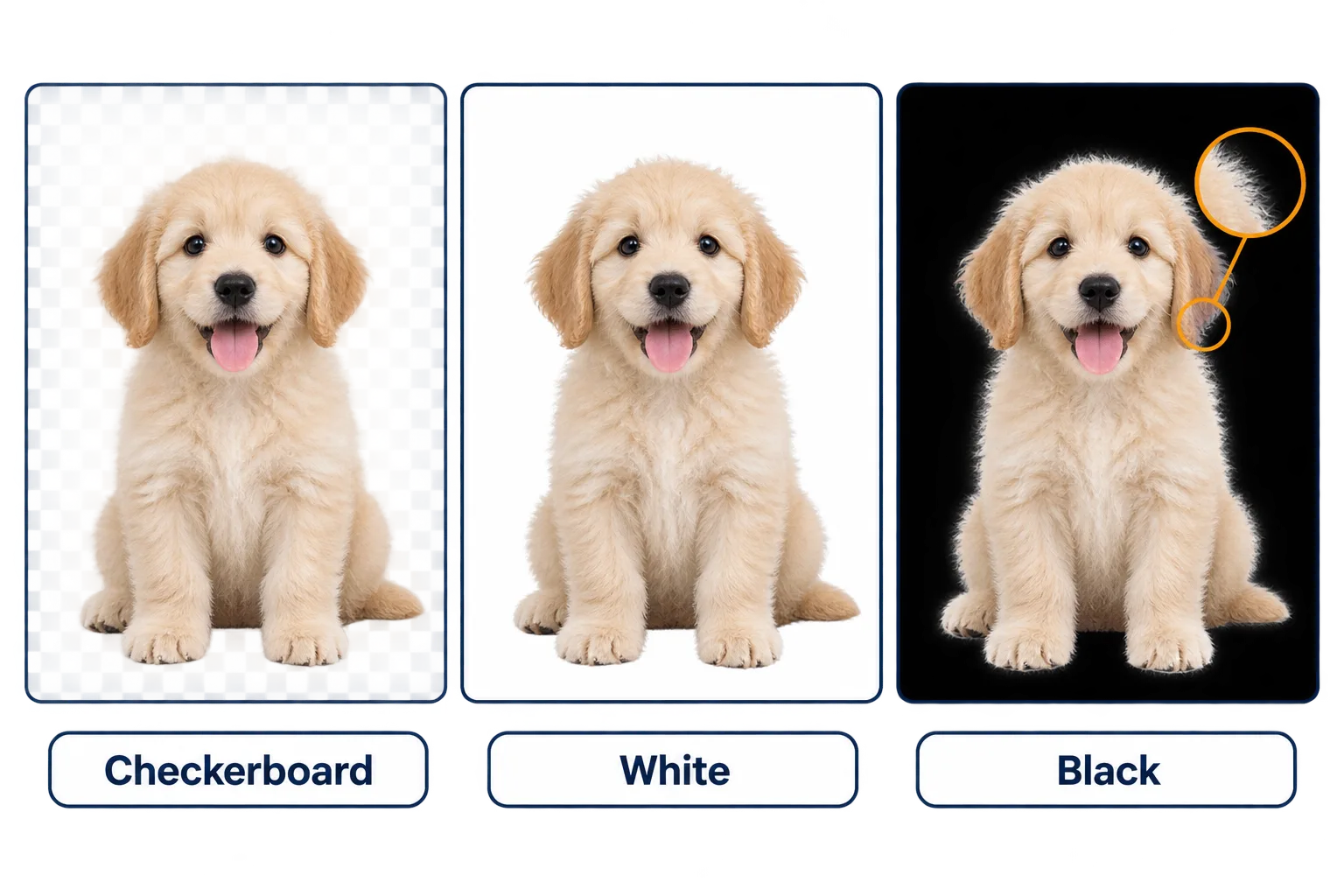
The halo around the fur only shows up on the black backdrop.
The before and after slider lets you view the subject on a checkerboard, white, black or blue backdrop. Do not stop at the checkerboard:
Steps
View it on **black** to reveal halos
leftover bits of the old background around hair and collars light up.
View it on **white** to reveal dark fringes, common when the original was shot against a dark background.
Zoom into hair, fingers and gaps such as bag handles or the space between arm and body; that is where background tends to survive.
If the edges are not good enough, reshooting against a contrasting background works better than fighting the old photo.
Turn on Also get the mask if you work in Photoshop, Figma or Canva. The black-and-white mask lets you soften or tighten the edge while keeping the original image intact.
Cut-out PNGs are often heavy. For a website, pick WebP from the start, or compress the image after downloading.
Frequently asked questions
The tool says it found no subject.
The photo has no clear subject, such as a wide landscape or a crowd. Crop tightly around the thing you want and try again.
Can I use the result as an ID or passport photo?
You can place a portrait on white or on any colour code. Check the issuing office's rules first, though: size and face position still have to match, and some offices do not accept digitally edited photos.
PNG or WebP?
Both keep the transparency. PNG opens in every app; WebP is much smaller, which suits websites.
Are my photos stored or used to train AI?
No. They are deleted from the server after 2 hours and never used to train AI. You can also delete them right after downloading.
Try it on your own file
Free, no sign-up. Files are deleted after 2 hours.