There are plenty of reasons to keep only the sound of a video: listening to a lecture while driving, taking the song from your own performance clip, or pulling out an interview to transcribe it. An audio file is dozens of times lighter than the video and plays on any device.
Video to MP3
Drop a video here
MP4, MOV, MKV, WEBM, AVI, M4V… · up to 100 MB per file
Files are deleted after 2 hours. You can delete them right after downloading.
MP3, M4A or WAV
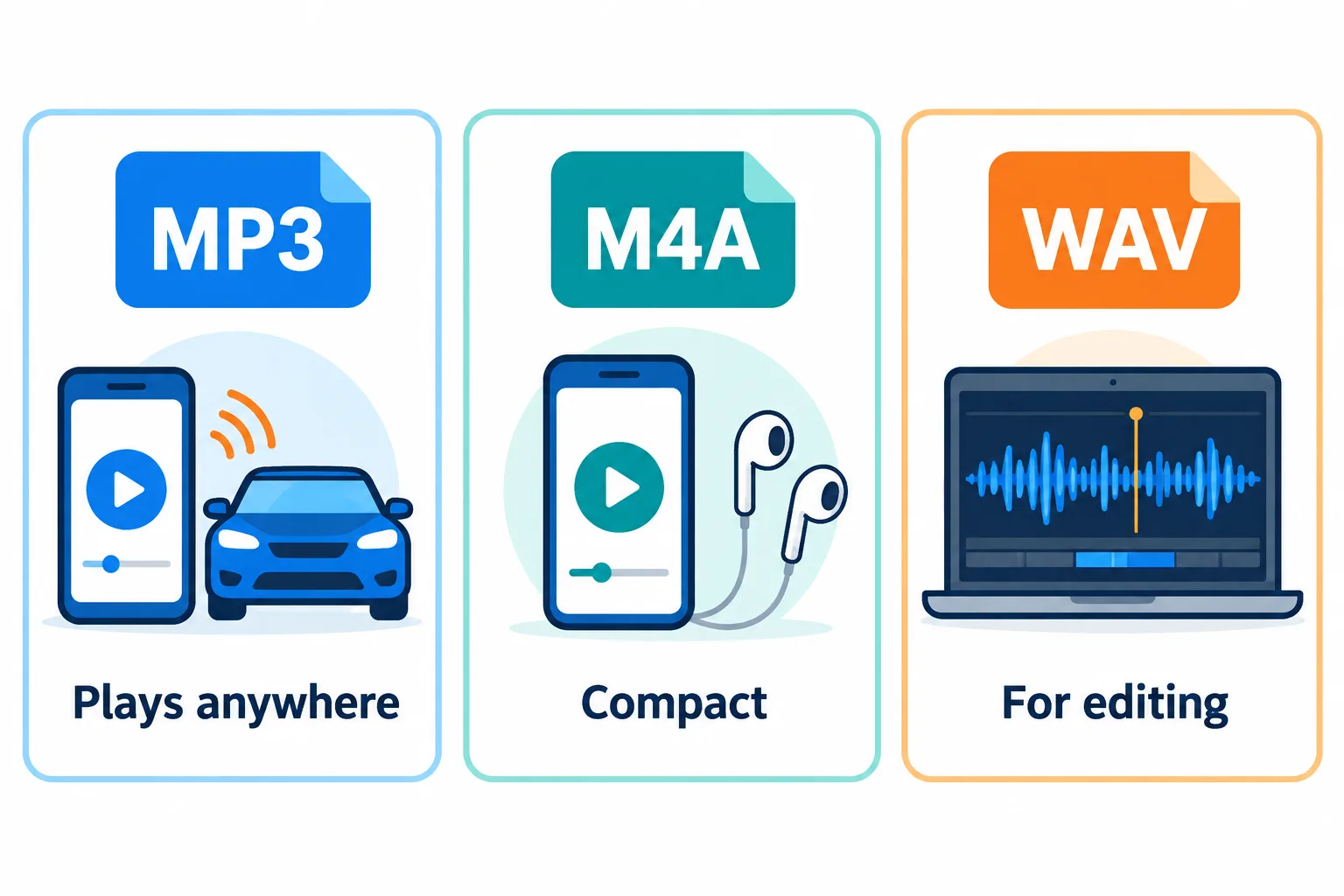
MP3 plays anywhere, M4A is more compact, WAV is for editing.
| Format | Size per minute | Plays on | Good for |
|---|---|---|---|
| MP3 | About 1–2.4 MB, depending on bitrate | Every device and app | Music, lectures, sharing with others |
| M4A | Similar to MP3, sounds better at the same bitrate | Modern phones and computers | Listening on a phone, compact archives |
| WAV | About 10 MB | Every audio editor | Editing and post-production |
If you are unsure, stay with MP3. Choose WAV only when the file is going into an editor: it is uncompressed, so it loses nothing each time you export.
128, 192 or 320 kbps
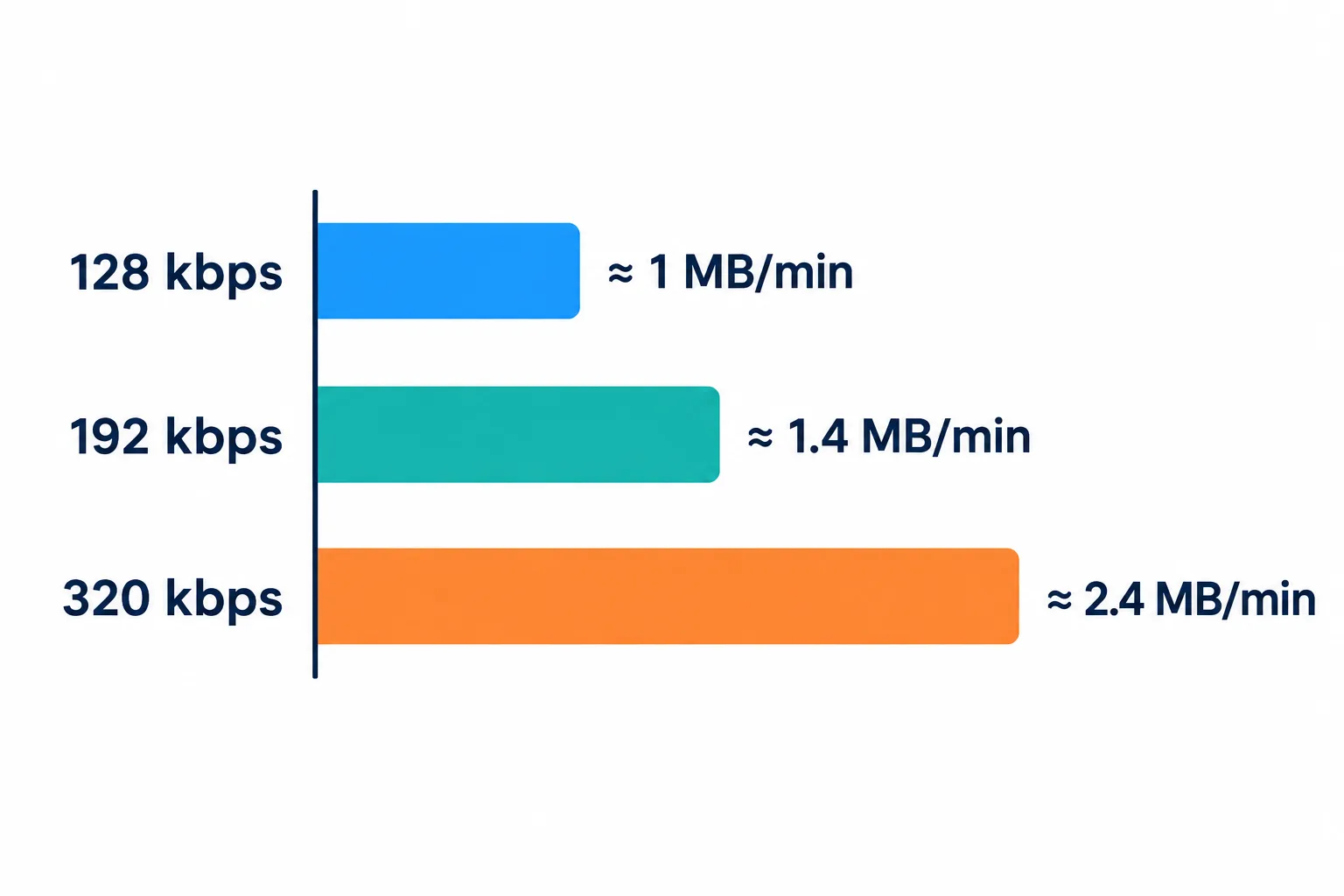
A higher bitrate means a heavier file, never a better source.
A higher bitrate means a heavier file: about 1 MB per minute at 128 kbps, 1.4 MB at 192 kbps and 2.4 MB at 320 kbps.
- 128 kbps: enough for speech, lectures and podcasts.
- 192 kbps (default): good enough for most music.
- 320 kbps: when the video has high-quality sound and you listen on good headphones.
A bitrate cannot make the sound better than the source. Many phone recordings and social media videos carry audio at around 128 kbps. Exporting those to 320 kbps MP3 makes the file 2.5 times heavier without sounding any better.
Need only one part?
You do not have to extract the whole video and then cut it. Cut audio accepts MP4, MOV, MKV and WebM videos directly: pick the part to keep and you get the audio of exactly that part. See how to cut audio and make a ringtone.
If you need words rather than sound, for example minutes of a meeting you filmed, use Speech to Text. For videos over 100 MB, extracting the audio first makes the upload small enough.
Only extract audio from videos you own or have the right to use. For copyright reasons, the tool does not accept YouTube, TikTok or Facebook links.
Frequently asked questions
Can it separate the vocals from the music?
No. The tool takes the video's whole audio track, voice and music together. Separating vocals from a backing track is a different job that needs a dedicated tool.
Why does it say the file has no audio?
Some videos, such as screen recordings made with the microphone off, have no audio track, so there is nothing to extract.
What is the result called?
The same name with a new extension: `song.mp4` becomes `song.mp3`.
Are my files kept on the server?
They are deleted after 2 hours, and you can delete them yourself as soon as you have the result.
Try it on your own file
Free, no sign-up. Files are deleted after 2 hours.