Photo to Anime
Upload one photo and AI redraws it as an anime picture, keeping the pose and framing.
Drop an image here
JPG, JPEG, PNG, WEBP · up to 100 MB per file
Files are deleted after 2 hours. You can delete them right after downloading.
How to use Photo to Anime in 3 steps
-
Sign in for free
Sign in or create a free account to unlock the AI styles. Without an account the Anime tile shows a lock; Line drawing still works without one.
-
Add a photo, keep Anime
Drop a JPG, PNG or WebP photo on the page. Anime is already selected; choose Fast (about 2 minutes) or Best (about 5 minutes).
-
Let AI draw, then download
Press Turn into a drawing, drag the before and after slider and download your anime picture. Press “Try another style” to see the same photo as Cartoon or 3D render.
Guides
A short read first gets you the right result on the first try.
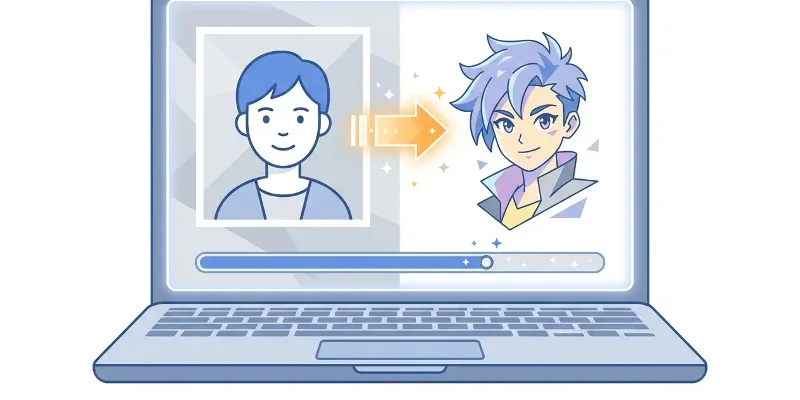 Photo to Drawing
 Photo to anime: how to turn a picture into anime art
Upload a clear photo, choose an anime style, and let AI create a new anime-style image from your picture.
 AI Art Generator
 AI Art Generator Free: Create Art from a Prompt
Describe the image you want, generate it in seconds, then refine your prompt until the artwork fits your idea.
 Greeting Card Maker
 Diwali wishes: messages and greeting card ideas
Use these Diwali wishes as they are, or personalize them in a simple greeting card you can download as a PNG.
Features
This page opens Photo to Drawing with the Anime style already picked. AI repaints the whole photo in the style of Japanese animation: clean outlines, flat colour with soft cel shading and brighter tones, while the pose, camera angle and composition stay as they were. Anime is an AI style, so it needs you to sign in: without an account the Anime tile shows a lock, a free account gets a number of AI-style pictures every day, and paid plans get more. Each picture takes about 2 minutes on Fast or about 5 minutes on Best.
- Repaints the whole photo as anime: clean outlines, flat colours, soft cel shading.
- Keeps the pose, camera angle and composition of your photo.
- Fast gives an anime picture in about 2 minutes; Best takes about 5 for more detail.
- Suits portraits, couples, small groups and pets; one photo per run.
- The picture carries a “Made by AI” label; photos and results are deleted from the server after 2 hours.
Frequently asked questions
Why does the Anime style need signing in?
Anime is an AI style: each picture keeps an AI server busy for minutes, so the daily number is counted per account. Without an account the Anime tile shows a lock; a free account unlocks it with a few pictures a day, and paid plans get more.
Which photos make the best anime pictures?
Sharp, well-lit photos where the subject fills most of the frame. Portraits, half-body shots, small groups and pets work well; dark or blurry photos and tiny faces give weaker lines.
Will the anime picture look like the person in the photo?
AI keeps the pose, hairstyle, clothes and framing but redraws the face with anime features, so the picture suggests the person rather than copying the photo. If you are not happy, try Best quality or a photo with a clearer face.
What can I do without an account?
Line drawing works without signing in: it traces your photo into black-and-white line art in about 3 seconds. For a coloured anime picture you need to sign in.